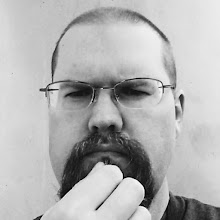
Keynote: Paul Holdengraber gets interviewed
In a "turnabout is fair play" move, the organizers had a filmmaker interview the famous interviewer, Paul Holdengraber, from New York Library. This guy is a really engaging speaker. He just picks up the whole audience and carries us with him. It's something else. The keynote is over way too fast, but the conversation, which I couldn't begin to summarize, leaves us with a tremendous level of enthusiasm. That, and the idea that our own institutions could use a mighty kick in the pants.
I'm sure that every library system has its share of smart, talented people, but I imagine that these people are rarely as worldly, outgoing, and charismatic as Mr. Holdengraber. Still, we can only hope there are a group of people at SLCPL that can do a small fraction of what he's done to bring the weighty institution in NYC into the new century, creating a place that is, as the keynote's title hints, a place of desire.
*****
Experience Design Makeover
Question: What is Experience Design?
-Making website visitors have a great experience by designing your site to make their progress easy and predictable.
Good designers plan for good experiences from the beginning.
--The speaker related his experiences with how his website redesign went, and all the ways his old website didn't work or was clunky. We were shown examples.
--They needed a Website Extreme Makeover
--The New Website
-Allows comments everywhere
-Has a better layout
-Uses RSS feeds to keep patrons up to date
-They have multiple blogs, all frequently updated
-They use many social networks, such as Facebook and Twitter
-With their new CMS, updates to content are easy
-The staff updates page and does other upkeep as part of their job
--So, they have lots of interaction possibilities with their patrons, and have lots of conversation areas, so that the "feel" of their site is very friendly.
----
Ok, great, but HOW?
--First, they asked what the staff, public, and managers what they wanted to see in the site.
-They also planned for some stuff that they didn't share (secret tech stuff).
--Tech manager's jobs:
-Know what's new and cool
-Parse the new and cool for what's relevant to their institution
-Find and hire staff with the right skill set
-Put the new and cool into practice
-Don't give up! You need to keep maintaining it to succeed
----
After the Upgrade:
-Hone all the new features
-Teach everyone what the features do, why they're there, and how to pitch in
-You may need to create guidelines to follow, like style guides and policies about posting and moderating
----
What about now?
-They're getting ready to redesign again. The process isn't an end, but a cycle. A "permanence revolution" (my term)
----
Makeover in 5 steps:
1) Write an Experience Brief
-This is a one page story written from the persona of an underserved marked member, illustrating the required experience that might get that person into the library
-You need to figure out how to build "that website" that will get this group to love the way it runs
--What goes into this process?
a) target audiences for growth
b) how can they use the site easily?
c) how can we offer tools and services to help?
d) how can we give them an unobtrusive but friendly atmosphere?
e) how can we place tools in the pivotal locations without clutter?
2) Take a touch-point journey
-Example: prospective patron wants to get a library card
-terminology matter
-"get a library card" is more friendly than "get an account"
-important services have to be inpirational
-make them big, bold, and strategically placed--patrons won't look around forever
3) Conversation is Experience
-are we providing places on website for conversation/interaction?
-Process: Twitter feed =>Facebook Update => Update feed on your website (tie everything together so you don't have to duplicate work)
-use mini-polls and surveys as conversation starters
4) Answer the "why" questions
-why are we doing this?
-why should the patrons care?
-why should I click on this link?
-"Sell" both staff and patrons on tools and services
5) Focus on the customer
-flip the design: it's for THEM not US
-think simple: make inwardly complex tasks look and feel easy to the end-user
-always say yes
-try it!
-a yes that results in a temporary solution is better than waiting forever for the "perfect" solution
--But how can we implement all of this?
-Establish a "digital branch"
-It's the responsibility of all staff members to pitch in and do their part
-You have two libraries, the physical and the virtual
--Plus (outside of class)
-check out Google Custom Search to tame the "big old links page of doom" problem" with a "search by topic" bar
*****
Designing for Content-Rich Websites:
Part One:
1) Redesign
-grab order from chaos
-use the old content, just reskin it
2) Re-architecture
-to help people, the Dean among them, to find stuff
-help it be easier to add info
-it's about the info, not location
-harness info with Vufind, LibGuides
Question: What did it cost?
-confusing and incomplete info given
-4 member web team
-2 web developers
-8 grand for student help
-9 grand for usability testing
-40 content creators
-no info about hardware costs
Part Two:
--Seeking Direction
-the usual stuff
--Drew info from:
Surveys, focus groups, advisory groups, staff group
--Drafting for:
Taxonomy, user interface, technology
Discussion of process
Points =>
-content inventories
-expunge orphaned or superfluous content
-migrate good, useful content
Part Three: Tools
-We love open source software
-building is better than buying
-if you have the skill to do it
-they use Drupal, VuFind, Solr
-but they also use commercial software
-metalib
-exproxy
-spx
-aleph ils
Other notes: look into federated search
Taxononmy: could we do "experts search" linked to staff members?
*****
SEO: Optimizing Library Web Resources for Enhanced Discovery
--Idea: Make library resources "findable" with something more than very narrow search terms in a search engine.
-Move things out of the "dark web" and into the view of search engines
-More exposure to "accidental" searchers
-Great collections aren't very well used if no one can find them
--Problems:
-Most digital content doesn't play well with search engines
-We need to follow the techniques that retail businesses
--Complications:
-We don't really know exactly how search engines rank pages, and they don't want us to
-They don't want to be scammed
-Trying to "trick" search engines can blow up in your face
--Cookbook
-Use analytics to establish benchmarks
-Develop content
-Create metadata
-Publish content
-Optimize content delivery
-Use sitemaps to facilitate indexing
-Fine tune
--Analytics
-Understand use patterns
-Benchmark
-Not just page views, but performance vis-a-vie finding specific goals
(stuff from an earlier gloss on Google Analytics)
--Optimization
-Get more traffic by following "the rules", thereby letting them harvest your stuff
-Clean structure, good content, strategic metadata
--Great Content
-Unique content is best
-We all have pretty much the same books
-Focus on resources that aren't available elsewhere
--Creat high-quality metadata
-Compact descriptions rich with meaningful keywords, terms, phrases
-Use appropriate database tags
--Implement a web based delivery environment
--Issues
-One unique page for each item
-Unique title for each object
-Great, short, informative data snippets
--Goal
-They find your objects, and their subjects are as-advertised
--Here, he starts to speak so quickly that I can't keep up. Ahhhh!
--Crunchy stuff
-sitemaps have a particular structure
-you can create a Perl script to inject and refresh the structure on all your sites
-you can put a cron job together to make it go at intervals to update
----
Part Two:
--Virtual Tachometer: gauging the value of virtual services:
--E-metrics are important for redesign, managing virtual services, establishing budgets
--There are a lot of e-metrics, some expensive and some free (like Google Analytics)
--Another discussion of Google Analytics
--Similar: Woopra
-does the same things, but the count may be slightly different, in terms of categorizing what a "page view" really is.
--And so, Google Analytics takes Woopra out in the back yard and kills it like a chicken (my terms), except for a few things, like live stats, which Woopra does well. Also, you can identify a visitor (like a radio collar, so you can watch where they're going and what they're doing over time.
--Splunk
-free form log processing
-takes a .csv or text file and mines for data to make sense of them
-can be installed on a client and set to pull down logs, proces them, and parse the data
-many plugins to allow you to analyze a variety of different types of serivices, like web servers, firewalls, etc.
-good as an addendum to another analytics program
-this product is highly processor and ram intensive, so don't use it on a server/computer that has other high-overhead processes that it needs to run. Use at least 4 gigs of ram and a quad core processor, if possible
--Here, the speaker tried to show a realtime example, but didn't really have any luck
*****
Experience Design Makeover
Question: What is Experience Design?
-Making website visitors have a great experience by designing your site to make their progress easy and predictable.
Good designers plan for good experiences from the beginning.
--The speaker related his experiences with how his website redesign went, and all the ways his old website didn't work or was clunky. We were shown examples.
--They needed a Website Extreme Makeover
--The New Website
-Allows comments everywhere
-Has a better layout
-Uses RSS feeds to keep patrons up to date
-They have multiple blogs, all frequently updated
-They use many socaial networks, such as Facebook and Twitter
-With their new CMS, updates to content are easy
-The staff updates page and does other upkeep as part of their job
--So, they have lots of interaction possibilities with their patrons, and have lots of conversation areas, so that the "feel" of their site is very friendly.
----
Ok, great, but HOW?
--First, they asked what the staff, public, and managers what they wanted to see in the site.
-They also planned for some stuff that they didn't sare (secret tech stuff).
--Tech manager's jobs:
-Know what's new and cool
-Parse the new and cool for what's relevant to their institution
-Find and hire staff with the right skill set
-Put the new and cool into practice
-Don't give up! You need to keep maintaining it to succeed
----
After the Upgrade:
-Hone all the new features
-Teach everyone what the features do, why they're there, and how to pitch in
-You may need to create guidelines to follow, like style guides and policies about posting and moderating
----
What about now?
-They're getting ready to redesign again. The process isn't an end, but a cycle. A "permanent revolution" (my term)
----
Makeover in 5 steps:
1) Write an Experience Brief
-This is a one page story written from the persona of an underserved marked member, illustrating the required experience that might get that person into the library
-You need to figure out how to build "that website" that will get this group to love the way it runs
--What goes into this process?
a) target audiences for growth
b) how can they use the site easily?
c) how can we offer tools and services to help?
d) how can we give them an unobtrusive but friendly atmosphere?
e) how can we place tools in the pivotal locations without clutter?
2) Take a touch-point journey
-Example: prospective patron wants to get a library card
-terminology matter
-"get a library card" is more friendly than "get an account"
-important services have to be inpirational
-make them big, bold, and strategically placed--patrons won't look around forever
3) Conversation is Experience
-are we providing places on website for conversation/interaction?
-Process: Twitter feed => Facebook Update => Update feed on your website (tie everything together so you don't have to duplicate work)
-use mini-polls and surveys as conversation starters
4) Answer the "why" questions
-why are we doing this?
-why should the patrons care?
-why should I click on this link?
-"Sell" both staff and patrons on tools and services
5) Focus on the customer
-flip the design: it's for THEM not US
-think simple: make inwardly complex tasks look and feel easy to the end-user
-always say yes
-try it!
-a yes that results in a temporary solution is better than waiting forever for the "perfect" solution
--But how can we implement all of this?
-Establish a "digital branch"
-It's the responsibility of all staff members to pitch in and do their part
-You have two libraries, the physical and the virtual
--Plus (outside of class)
-check out Google Custom Search to tame the "big old links page of doom" problem" with a "search by topic" bar
--As you can see, it was another big day at IL2009. For those of you who want to see the presentations, I have downloaded all of them for the sessions I attended, if they were available. I will think of ways to make them available to you upon my return.
Showing posts with label crabby old tech weasel. Show all posts
Showing posts with label crabby old tech weasel. Show all posts
Wednesday, October 28, 2009


Tuesday, October 27, 2009
Internet Librarian 2009--Monday
Keynote Vint Cerf and Paul Holdengraber:
This was a great keynote, edgy and full of humor. Holdengraber, from New York Library, is a skillful, confrontational interviewer, and gets interesting, unexpected responses from his subjects. Although I couldn't go into all that was discussed, I think that the whole was inspiring and eye-opening.
One thing that Vint Cerf, internet legend and Google Guru, spoke of was the phenomenon of "bit rot", the idea that, as time passes, we become unable to support old information, because the infrastructure of hardware and software disappears. If we let this happen, a lot of our digitized data will soon become unreachable, the info lost. This is something that we really have to consider, and find ways around. In some cases, there is no clear "upgrade path" to be seen. I think that every archival institution will soon come to grips with this in one way or another.
This keynote was actually the best part of the day, and most of the other programs, though cool, had a hard time following this class-A act.
*****
E-Learning Trends and Tools
Part One: Frank Cervone
Is there a clear path? No
Work/life balance is out of sync for many
Speed and convenience is paramount
30% of customers want instant attention
Multitasking is everywhere
Alerting is the new searching
-Information comes to us
-RSS feeds, Friends Areas
Only 15% of world's population is wired
Many libraries don't even have a website
--
Stratification of Education
-worldwide decrease of higher education
-majority of students (70%) are non-traditional (age, work, etc.)
-graduation rates: now @ 6 yrs or more.
-graduating in 4 yrs shows skew for race, w/ white having highest percentage
--
Old measures don't cut it
-money spent on a program isn't relevant
-outcomes are the thing
Gaming changes expectations
-students want to be engaged
-from textual learners to kinesthetic learners
Then, there's the topic of funding
-we're all doing more with less
--
Where do we go?
-what do learners expect?
-task-based teaching is the norm
-however, more broadly applicable, long term learning is the best (teach them how to figure out the next problem without needing help).
-learning needs to be authentic and engaging
Measures:
-must stand up to rigorous scrutiny
--
Outsource what doesn't add value: don't do what doesn't help your core mission
Outsource to add value: co-opt outside skills and take advantage of pre-existing resources
--
Message: change is inevitable and occurs in ways we don't expect
We need to plan for the future, be aware of the trends, and be ready to respond to changes
*****
Lori Reed
Libraries and e-learning and zombies
Message: make courses be interactive, so that student don't disengage (become zombies).
Old e-learning model: watch the video, read the text, take the test (correspondence, no interation)
Problem: no interaction, no useful learning.
Even now: boring lecture webinars are just as bad or worse than the videos of old.
Ongoing problem: prior bad experiences of other staff will bias the against e-learning.
--
How to get buy-in?
-give users a good experience
Nugget:
9/11 gave birth to the corporate distance e-learning trend
--
All these sites and services are just tools, even the snazzy web 2.0 stuff
-tools are only as good as the person behind them. There are no magic bullets here
--
Smiling and laughing means you're succeeding, and that there's learning going on.
Transformations:
reading to sharing
prose to bullets
data to games
diagrams to interactions
one way to two ways
two ways to groups
busy work to applications
--
web tools:
http://delicious.com/lorireed/elearning
--a pretty good program, with the first part being a bit more impressive than the second, but the second having fairly important, wide considerations attached.
*****
Notes: Online Learning Objects 101
Julie Hannaford; Cristina Sewerin
Modules for elearning
Re:search
1) developing a topic
2) determining the type of info you need
3) understanding sources relevant to your topic
4) retriving info
5) evaluating info
6) integrating info into your research report
Five modules with three levels of complexity.
Re:search--
easy to populate
pre-determined templates
content can be tailored
modules are collaborative
--this is a pretty dry lecture, and I'm not totally getting it yet--
Okay, this is a show and tell about their e-learning product* (yawn)
Their product is neat, but it's not really applicable to anything we're doing at this moment.
The idea here is that it gives the students a series of progressively more complex challenges, with integral discussions on why things are they way they are. Here, they're learning how to find, evaluate, and categorize info relating to doing research papers.
--the theory
Good instruction is course-related and applicable
When creating courses, the tools have to be easy to use, and not require technical "heavy lifting" to make things work.
If content creators can adapt figures and cases from other courses, this speeds and broadens the courses in general.
--yep, this is still just a big show and tell, and I'm still finding it a yawner.
Part two: long yawner about usability testing of same product. Not very informative or broadly useful.
*****
Integrating library resources into course sites at Harvard University
Michael J. Hemment
Guess the tag cloud: students create tags to indicate various experiences.
Not great: library catalog
Easy, helpful: Google
Funny, Smart: John Stewart
The big challenge: connecting students with library resources, convincing them that they should try the library before going on to other knowledge sources.
Before redesign: 10 clicks to get where they were going
After: 1 click!
Most important: putting info at the point of need
They use the ISITES LMS
Discussion of good qualities
We could use course guides on new website. We may not need such complex management, since we're not a university, but still, having guides up, in some form, could be great. Same with story times, events, etc.
"Meet the Catalog"
Harvard has two catalogs, classic and new
Video--Like "I'm a Mac..."
Idea: we could have two stylesheets/UI models for our catalog, a simple, old fashioned one, and one that has much more graphical content, more like Amazon. Patron could use either one, or switch at will.
Discussion of how to assess the usability. Not so different as other models. They use Morae and Survey Monkey
What's next:
Michael discusses things they're planning, like auto-populating guides with preexisting assets.
Chad's video:
Incorporating free services
He uses angel CMS
IM availablility for professors
Mashups: google pipes
RSS feeds
-feed to 2JS to test
-put it in your CMS
Desktop sharing for hands-on help
Jing-screencasting
Twitter for discovery and sharing
Eembedded librarian answers IMs from students
For technophobes
-go a little at a time
-assure them that it's not that hard
-prove that it works
-use a team approach
For tech-starved students
-tech is a supplement, not core curriculum
-on campus labs
-desktop sharing for help
*****
LOL Cats guide to...by the librarian in black
Talking to Patrons:
Be awake when talking with patrons. Make sure they're awake.
Most of the web 2.0 stuff is cheap/free, and not that hard to implement
<>
Put chat windows where patrons are upset!
Interact with patrons:
Comments pages EVERYWHERE!
Discussion groups/book clubs.
Using Blogs for recommendations
--make it easy to do
--make it easy to categorize entries
Ann Arbor does this, and they're wicked cool
Madreads (madison public library)
Social Networking:
Ask users where they are
Children will be in different places
lots of tools...
Also, event sites are good
Eventful; upcoming.org; going.com; craigslist...
Cheap advertising on Facebook? ten bucks for 5,000
Use multimedia: photos; podcasts; videos
flickr photostreams, for instance
Image generators can be fun
generatorblog.blogspot.com
Imagegenerator.org
imagechef.com
Podcasting & Videocasting
equipment isn't too expensive
free software available, hardware isn't that steep
screencasting-wink, camstudio
class websites-wordpress, blogger
live office hours-freeconferencecall
live webcasts-ustream.tv
Offer treats!
People like shiny things
ask them what they want
give them stuff if you can
Staff Avatars?
E-Interviews?
Tap the Google wonderland!
Open source software:
typefaster typing tutor
gnucash
What do the patrons need? find service, give it.
Free books
project gutenburg
audiobooksforfree.com
escholarship
google books
Free databases:
Respect your customers!
If you're working online, bad responses last a long time. Be courteous.
Offer users choices @ communications, workflow.
Good catalog
vufind
library thing
aquabrowser
bibliocommons
dndeca
worldcat local
Improving the catalog is BIG
Making changes is hard! Keep going, and keep pushing people in power to make changes (but smartly)
If you're not failing, you're not trying hard enough.
Sarah Houghton-Jan was presenter.
*****
Evaluating and Justifying Web 2.0 for Libraries:
Discussion of Web 2.0 concerns...
Issue: internal vs. external
What level of approval?
What about money? Are you authorized?
Big thing: public vs. private info
Individuals shouldn't do certian things on library related entities
Evaluation of Web 2.0
Not so different from any other process.
Return on investment
Relevance
Hidden complexity
Who greenlights?
Considerations: Authenticity, Veracity, Ability to correct; Is it viral?
--Much of this is stuff I've heard before. Not bad, just stuff like I've heard often before.
No real time for questions or discussion. Certianly a big lecture, really more than what the time would allow in some ways. A whirlwind tour.
*****
Marketing your digital presence
Joy Marlow
digital collections, your catalog and beyond
What is your digital presence?
get down to basics
think like a marketer
why do we host digital collections?
--values of above?
three primary customer segmentations
not intersted
not aware
savvy
Not aware is the most important group
--create personas
those not interested--they just don't care. They can't be sold the idea of digital collections
not aware--key group--maybe they just bookmarked the catalog, and think that's your only page; habitual
savvy--don't forget 'em
Marketing phases
ideation
focus group research
solution scope
implementation
customize
promote
revise
build the community
-build the digital community
comments
tags
contributions
ratings
Benefits
educational
promotional
low cost
Measurements of success
what is success--you need to have a clear idea
Marketing through the catalog
seamless integration between catalog and digital collection
open up digital collection to new users
results should appear right in catalog results page
when you click...you don't ever leave the catalog search area
consistent experience is important
catalog terminals: a marketing opportunity
-special page like a mini homepage
Parteners in the community with web portals
-digitize elements of history in the community, host digital collections online
-parteners do marketing for you
-partener with local broadcasting station.
Marketing through open access
-harvest your metadata
--Then, life hits!
-budget cuts, for instance
-marketing for SURVIVAL
-"save our library" page
-emargency splash pages
-remember to use banners to inform those who only look at catalog
Marketing for the future of the library
-geotagging with google maps
public library of cincinatti
-old panorama
-how much has changed?
-google earth overlay
-3d representation of where things are/were
...a long day, don't you think?
This was a great keynote, edgy and full of humor. Holdengraber, from New York Library, is a skillful, confrontational interviewer, and gets interesting, unexpected responses from his subjects. Although I couldn't go into all that was discussed, I think that the whole was inspiring and eye-opening.
One thing that Vint Cerf, internet legend and Google Guru, spoke of was the phenomenon of "bit rot", the idea that, as time passes, we become unable to support old information, because the infrastructure of hardware and software disappears. If we let this happen, a lot of our digitized data will soon become unreachable, the info lost. This is something that we really have to consider, and find ways around. In some cases, there is no clear "upgrade path" to be seen. I think that every archival institution will soon come to grips with this in one way or another.
This keynote was actually the best part of the day, and most of the other programs, though cool, had a hard time following this class-A act.
*****
E-Learning Trends and Tools
Part One: Frank Cervone
Is there a clear path? No
Work/life balance is out of sync for many
Speed and convenience is paramount
30% of customers want instant attention
Multitasking is everywhere
Alerting is the new searching
-Information comes to us
-RSS feeds, Friends Areas
Many libraries don't even have a website
--
Stratification of Education
-worldwide decrease of higher education
-majority of students (70%) are non-traditional (age, work, etc.)
-graduation rates: now @ 6 yrs or more.
-graduating in 4 yrs shows skew for race, w/ white having highest percentage
--
Old measures don't cut it
-money spent on a program isn't relevant
-outcomes are the thing
Gaming changes expectations
-students want to be engaged
-from textual learners to kinesthetic learners
Then, there's the topic of funding
-we're all doing more with less
--
Where do we go?
-what do learners expect?
-task-based teaching is the norm
-however, more broadly applicable, long term learning is the best (teach them how to figure out the next problem without needing help).
-learning needs to be authentic and engaging
Measures:
-must stand up to rigorous scrutiny
--
Outsource what doesn't add value: don't do what doesn't help your core mission
Outsource to add value: co-opt outside skills and take advantage of pre-existing resources
--
Message: change is inevitable and occurs in ways we don't expect
We need to plan for the future, be aware of the trends, and be ready to respond to changes
*****
Lori Reed
Libraries and e-learning and zombies
Message: make courses be interactive, so that student don't disengage (become zombies).
Old e-learning model: watch the video, read the text, take the test (correspondence, no interation)
Problem: no interaction, no useful learning.
Even now: boring lecture webinars are just as bad or worse than the videos of old.
Ongoing problem: prior bad experiences of other staff will bias the against e-learning.
--
How to get buy-in?
-give users a good experience
Nugget:
9/11 gave birth to the corporate distance e-learning trend
--
All these sites and services are just tools, even the snazzy web 2.0 stuff
-tools are only as good as the person behind them. There are no magic bullets here
--
Smiling and laughing means you're succeeding, and that there's learning going on.
Transformations:
reading to sharing
prose to bullets
data to games
diagrams to interactions
one way to two ways
two ways to groups
busy work to applications
--
web tools:
http://delicious.com/lorireed/elearning
--a pretty good program, with the first part being a bit more impressive than the second, but the second having fairly important, wide considerations attached.
*****
Notes: Online Learning Objects 101
Julie Hannaford; Cristina Sewerin
Modules for elearning
Re:search
1) developing a topic
2) determining the type of info you need
3) understanding sources relevant to your topic
4) retriving info
5) evaluating info
6) integrating info into your research report
Five modules with three levels of complexity.
Re:search--
easy to populate
pre-determined templates
content can be tailored
modules are collaborative
--this is a pretty dry lecture, and I'm not totally getting it yet--
Okay, this is a show and tell about their e-learning product* (yawn)
Their product is neat, but it's not really applicable to anything we're doing at this moment.
The idea here is that it gives the students a series of progressively more complex challenges, with integral discussions on why things are they way they are. Here, they're learning how to find, evaluate, and categorize info relating to doing research papers.
--the theory
Good instruction is course-related and applicable
When creating courses, the tools have to be easy to use, and not require technical "heavy lifting" to make things work.
If content creators can adapt figures and cases from other courses, this speeds and broadens the courses in general.
--yep, this is still just a big show and tell, and I'm still finding it a yawner.
Part two: long yawner about usability testing of same product. Not very informative or broadly useful.
*****
Integrating library resources into course sites at Harvard University
Michael J. Hemment
Guess the tag cloud: students create tags to indicate various experiences.
Not great: library catalog
Easy, helpful: Google
Funny, Smart: John Stewart
The big challenge: connecting students with library resources, convincing them that they should try the library before going on to other knowledge sources.
Before redesign: 10 clicks to get where they were going
After: 1 click!
Most important: putting info at the point of need
They use the ISITES LMS
Discussion of good qualities
We could use course guides on new website. We may not need such complex management, since we're not a university, but still, having guides up, in some form, could be great. Same with story times, events, etc.
"Meet the Catalog"
Harvard has two catalogs, classic and new
Video--Like "I'm a Mac..."
Idea: we could have two stylesheets/UI models for our catalog, a simple, old fashioned one, and one that has much more graphical content, more like Amazon. Patron could use either one, or switch at will.
Discussion of how to assess the usability. Not so different as other models. They use Morae and Survey Monkey
What's next:
Michael discusses things they're planning, like auto-populating guides with preexisting assets.
Chad's video:
Incorporating free services
He uses angel CMS
IM availablility for professors
Mashups: google pipes
RSS feeds
-feed to 2JS to test
-put it in your CMS
Desktop sharing for hands-on help
Jing-screencasting
Twitter for discovery and sharing
Eembedded librarian answers IMs from students
For technophobes
-go a little at a time
-assure them that it's not that hard
-prove that it works
-use a team approach
For tech-starved students
-tech is a supplement, not core curriculum
-on campus labs
-desktop sharing for help
*****
LOL Cats guide to...by the librarian in black
Talking to Patrons:
Be awake when talking with patrons. Make sure they're awake.
Most of the web 2.0 stuff is cheap/free, and not that hard to implement
<
Put chat windows where patrons are upset!
Interact with patrons:
Comments pages EVERYWHERE!
Discussion groups/book clubs.
Using Blogs for recommendations
--make it easy to do
--make it easy to categorize entries
Ann Arbor does this, and they're wicked cool
Madreads (madison public library)
Social Networking:
Ask users where they are
Children will be in different places
lots of tools...
Also, event sites are good
Eventful; upcoming.org; going.com; craigslist...
Cheap advertising on Facebook? ten bucks for 5,000
Use multimedia: photos; podcasts; videos
flickr photostreams, for instance
Image generators can be fun
generatorblog.blogspot.com
Imagegenerator.org
imagechef.com
Podcasting & Videocasting
equipment isn't too expensive
free software available, hardware isn't that steep
screencasting-wink, camstudio
class websites-wordpress, blogger
live office hours-freeconferencecall
live webcasts-ustream.tv
Offer treats!
People like shiny things
ask them what they want
give them stuff if you can
Staff Avatars?
E-Interviews?
Tap the Google wonderland!
Open source software:
typefaster typing tutor
gnucash
What do the patrons need? find service, give it.
Free books
project gutenburg
audiobooksforfree.com
escholarship
google books
Free databases:
Respect your customers!
If you're working online, bad responses last a long time. Be courteous.
Offer users choices @ communications, workflow.
Good catalog
vufind
library thing
aquabrowser
bibliocommons
dndeca
worldcat local
Improving the catalog is BIG
Making changes is hard! Keep going, and keep pushing people in power to make changes (but smartly)
If you're not failing, you're not trying hard enough.
Sarah Houghton-Jan was presenter.
*****
Evaluating and Justifying Web 2.0 for Libraries:
Discussion of Web 2.0 concerns...
Issue: internal vs. external
What level of approval?
What about money? Are you authorized?
Big thing: public vs. private info
Individuals shouldn't do certian things on library related entities
Evaluation of Web 2.0
Not so different from any other process.
Return on investment
Relevance
Hidden complexity
Who greenlights?
Considerations: Authenticity, Veracity, Ability to correct; Is it viral?
--Much of this is stuff I've heard before. Not bad, just stuff like I've heard often before.
No real time for questions or discussion. Certianly a big lecture, really more than what the time would allow in some ways. A whirlwind tour.
*****
Marketing your digital presence
Joy Marlow
digital collections, your catalog and beyond
What is your digital presence?
get down to basics
think like a marketer
why do we host digital collections?
--values of above?
three primary customer segmentations
not intersted
not aware
savvy
Not aware is the most important group
--create personas
those not interested--they just don't care. They can't be sold the idea of digital collections
not aware--key group--maybe they just bookmarked the catalog, and think that's your only page; habitual
savvy--don't forget 'em
Marketing phases
ideation
focus group research
solution scope
implementation
customize
promote
revise
build the community
-build the digital community
comments
tags
contributions
ratings
Benefits
educational
promotional
low cost
Measurements of success
what is success--you need to have a clear idea
Marketing through the catalog
seamless integration between catalog and digital collection
open up digital collection to new users
results should appear right in catalog results page
when you click...you don't ever leave the catalog search area
consistent experience is important
catalog terminals: a marketing opportunity
-special page like a mini homepage
Parteners in the community with web portals
-digitize elements of history in the community, host digital collections online
-parteners do marketing for you
-partener with local broadcasting station.
Marketing through open access
-harvest your metadata
--Then, life hits!
-budget cuts, for instance
-marketing for SURVIVAL
-"save our library" page
-emargency splash pages
-remember to use banners to inform those who only look at catalog
Marketing for the future of the library
-geotagging with google maps
public library of cincinatti
-old panorama
-how much has changed?
-google earth overlay
-3d representation of where things are/were
...a long day, don't you think?
Friday, February 1, 2008
Del.ice.ous, or maybe just, well, okay.
Frankly, I'm stricken with not caring about some of the social bookmarking sites. I'm sort of intrigued with Stumble upon, since the idea of just seeing "watever's next" on the internet dial is kind of fun. I think that the primary problem with the web is that there's a finite amount of time to work on it each day, and if you're trying to be goal-directed and get through your favorite sites, it takes quite a while, without mucking about in a whole bunch more.
For me, I've got an IGoogle page set up that aggregates my GMail, my "to do" list, news, pics of the day, famous quotes, etc.. In addition I have all my sites that I normally use set up in Firefox so that I just launch them all at startup and tab back and forth between them. Finally, my website has a page of all my favorite links, allowing me to just bop into all my friends' sites and blogs as I see fit. I suppose that reading Slashdot theoretically is quite similar to reading Digg, just more focused on nerdy stuff, so I guess I'm already working with a "social news" site.
Anyway, that's my take on things.
For me, I've got an IGoogle page set up that aggregates my GMail, my "to do" list, news, pics of the day, famous quotes, etc.. In addition I have all my sites that I normally use set up in Firefox so that I just launch them all at startup and tab back and forth between them. Finally, my website has a page of all my favorite links, allowing me to just bop into all my friends' sites and blogs as I see fit. I suppose that reading Slashdot theoretically is quite similar to reading Digg, just more focused on nerdy stuff, so I guess I'm already working with a "social news" site.
Anyway, that's my take on things.
Subscribe to:
Posts (Atom)